A weblayer is a Bloomreach overlay injected into a website: a popup, banner, inline block, slider, or any other on-page surface. It’s configured as three fields, HTML, CSS, and JavaScript, that Bloomreach renders and delivers to the visitor’s page, controlled by segments and scenarios.
Category
Bloomreach Marketing, On-site Personalization
Also known as
web layer; weblayers; BR weblayer
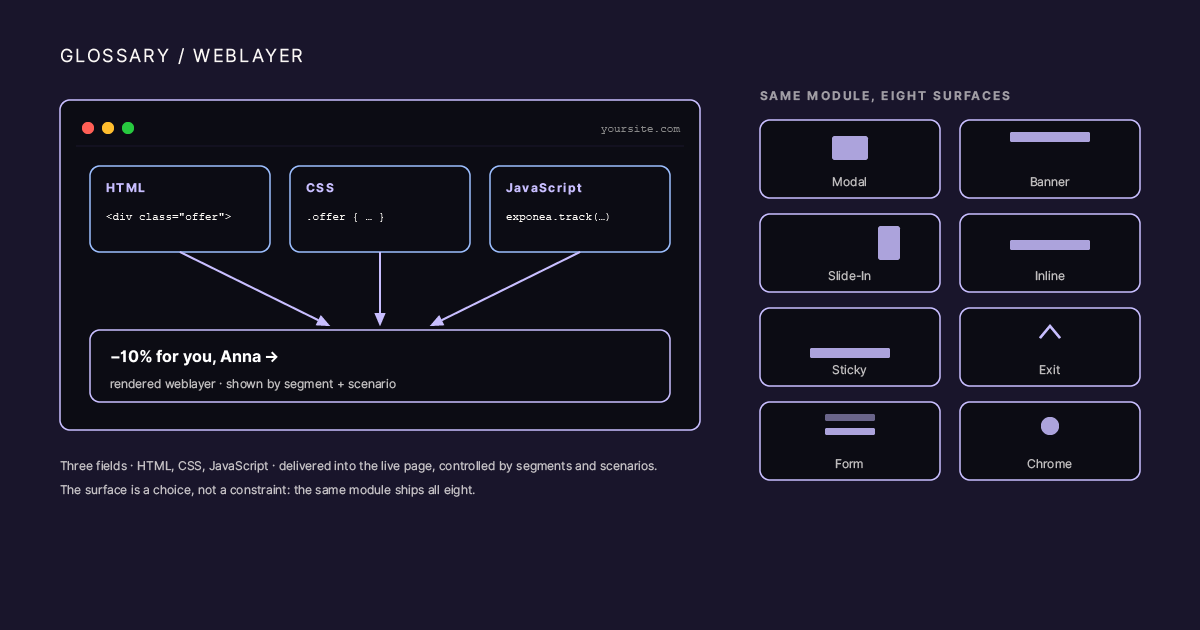
A single browser window split into three labeled panes stacked left to right, HTML, CSS, JavaScript, feeding into one rendered example on the page, a personalized banner. Below, a small grid of eight icons labeled Modal, Banner, Slide-In, Inline, Sticky, Exit, Form, Chrome, showing the same three-field module producing eight different surfaces.
What it actually is
The module exposes one underlying capability: render HTML, CSS, and JavaScript on a live page, gated by whatever segment or scenario condition you attach. Everything else, the promo popup, the loyalty pill in the header, the personalized product carousel, the exit-intent form, is a design pattern built on that one capability, not a separate feature.
That’s also why weblayers get mistaken for “just popups.” The name and the most common use case are the same thing, but the module is broader: it can add functional UI that looks like part of the site (a “my contracts” menu item that only renders for logged-in customers with active contracts, a service-data widget showing live account balance) as easily as it can add a discount banner.
The eight design patterns
Sorting weblayers by job, not by platform nomenclature, is what makes frequency capping, priority rules, and measurement work correctly. The eight patterns: modal popup, banner, slide-in, inline content block, sticky element, exit-intent layer, form-first layer, and page-chrome element. Full definitions, use cases, and a picking guide are in Types of Weblayers: A Taxonomy of Use Cases in Bloomreach.
Priority and conflicts
Bloomreach has no numeric priority field for weblayers. When two weblayers qualify for the same page view, the platform picks a winner within a group alphabetically by campaign name. Naming prefixes (01_, 02_, or A_, B_) are how teams control which weblayer wins. Without a group assignment, all eligible weblayers display simultaneously, which is the single most common cause of a catalog that visitors learn to ignore.
Testing before it reaches real users
Bloomreach’s Preview mode doesn’t run the full server-side Jinja substitution that live delivery does, so tracking fields render as placeholder strings in Preview rather than real values. Verifying a weblayer’s tracking payload requires testing in the live environment, scoped to a testers segment plus a URL parameter. The full pattern is in How to Test Bloomreach Experiments and Weblayers Without Polluting Production.
In practice
The three-field structure trips teams up: the HTML is a server-rendered Jinja template, while the JavaScript runs client-side and has to inject its own markup. Keep the two models separate, since a value that renders fine in the HTML field can arrive undefined in the JavaScript, and expect both fields to be scanned for Bloomreach syntax before they save. A weblayer is not just a popup; it is production code on the storefront, so QA it like production for targeting, rendering, performance, consent, and XSS risk.